AI video is getting better and more common
Face swaps, cloned voices, and generated scenes now blend into normal social feeds. As image and video models improve, small cheating becomes easier and harder to spot.
As AI-generated media becomes indistinguishable from reality, RealRec lets you prove your photos and videos were captured from a camera.
Why this is needed
Face swaps, cloned voices, and generated scenes now blend into normal social feeds. As image and video models improve, small cheating becomes easier and harder to spot.
Trust is social currency. A physique photo, a skate trick clip, or a clip of a politician only has value if people can know it is real. If viewers suspect AI fabrication, the post loses meaning, so quick access to the original source becomes critical.
How verification works
Every step keeps a direct reference from shared media back to the immutable source, so viewers can compare what changed and what did not.
Record only inside RealRec
You can capture media in the app, but you can never import existing files.
Original source is locked
Because capture is contained in the app, RealRec stores the true original and prevents user manipulation of that source file.
Export embeds source reference
When exporting, RealRec overlays a small watermark with a QR code. At the same time, it uploads the original capture to the source server.
Viewer scans QR to open source page
On social media, people can screenshot the content and scan the QR to open the URL with the original source and capture properties. If even a few curious viewers scan and spot something suspicious, they can flag it in the comments for everyone else to see.
Creators can still color-grade, trim, and polish after export in the regular photo library. The shared version does not need to be identical to the stored source to still depict real events. Viewers can compare both and use human judgment to decide whether edits changed authenticity.
The QR watermark carries the source location directly in the shared image or video. Saved copies and screenshots keep this info too, so people do not need a post description to find proof.
QR watermark
These examples encode links to their immutable sources. In both images, the QR watermark sits in the bottom-left corner.


Hard edge case
This is the classic limitation of recording verification: the recording can be real, while what it depicts is fake. RealRec uses two capture-time tests to make this very hard to hide.
Zoom test (min and max zoom)
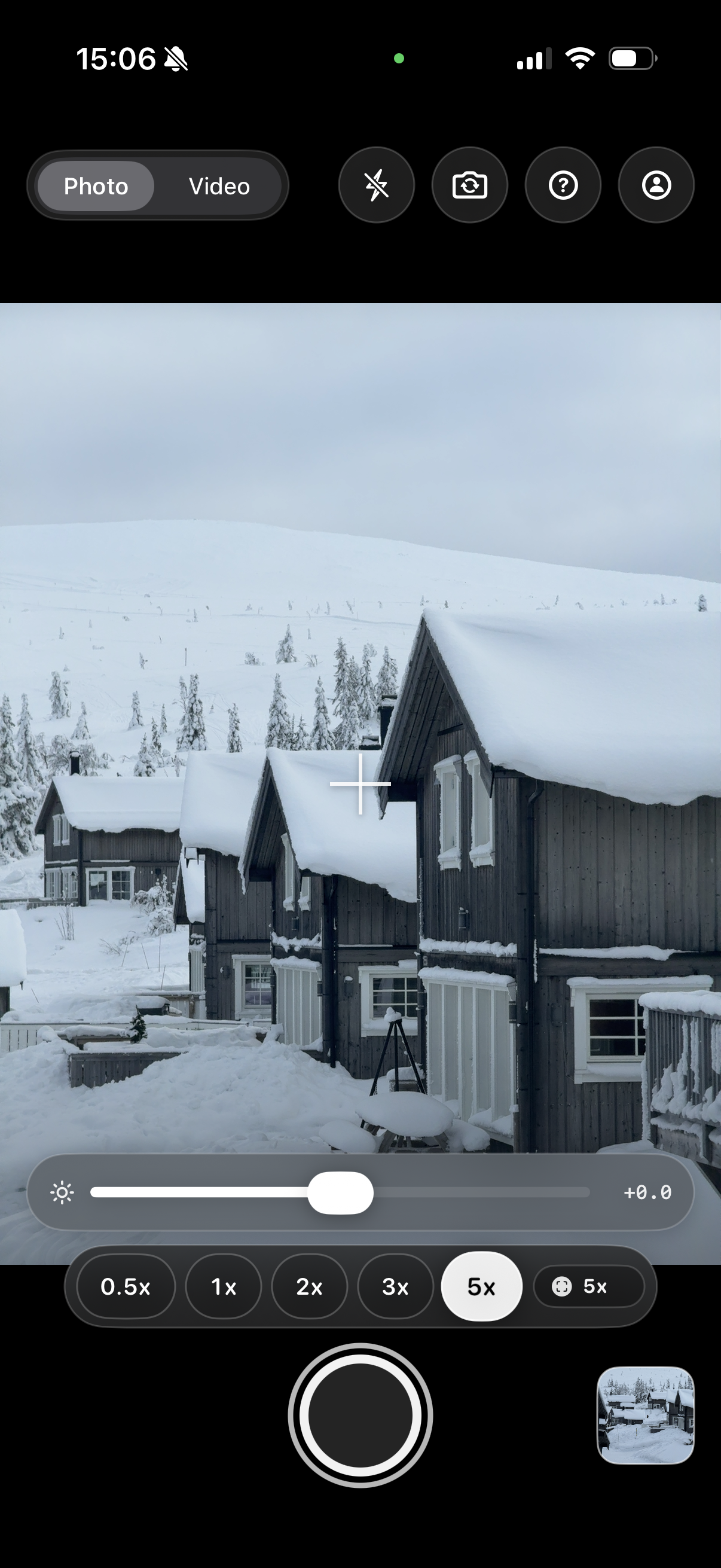
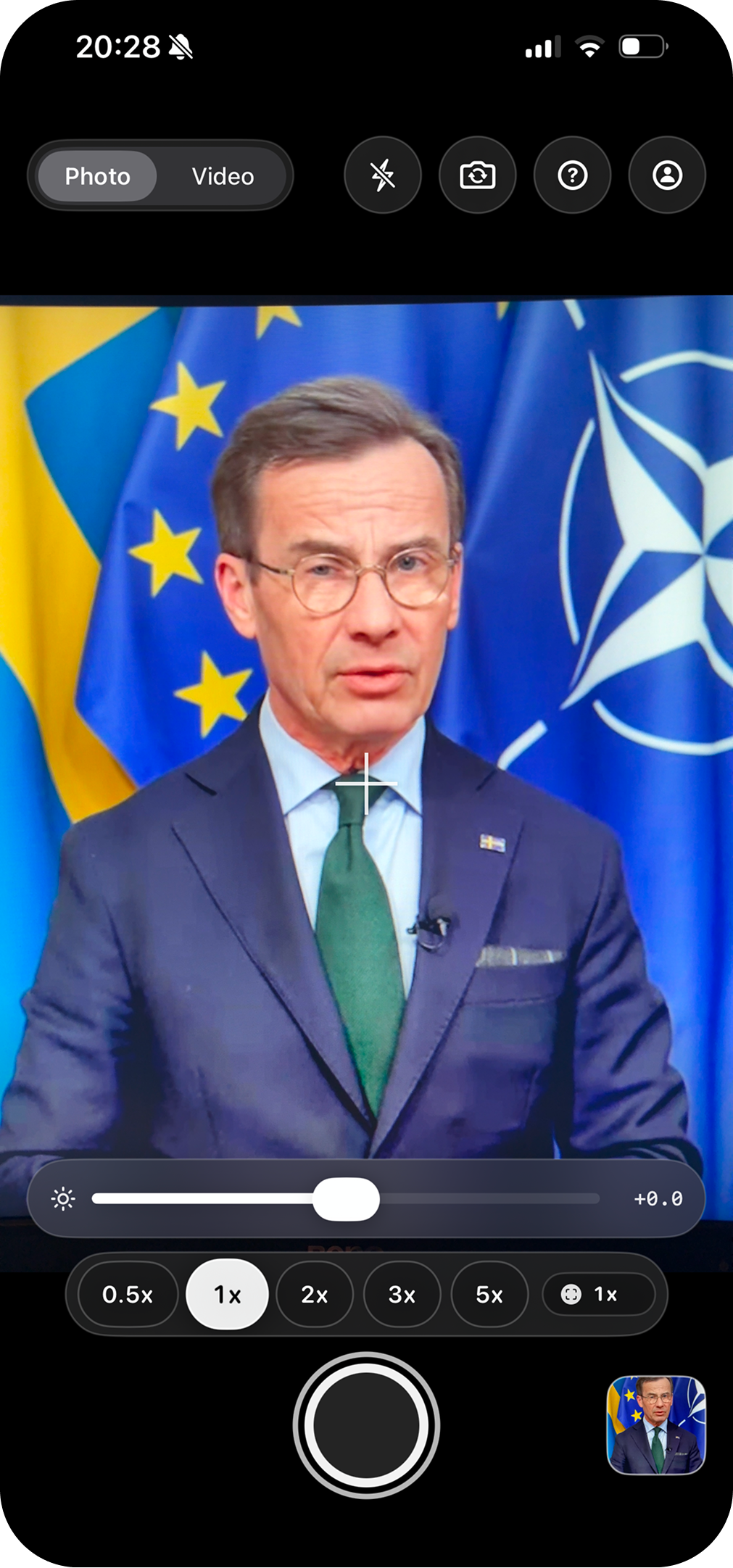
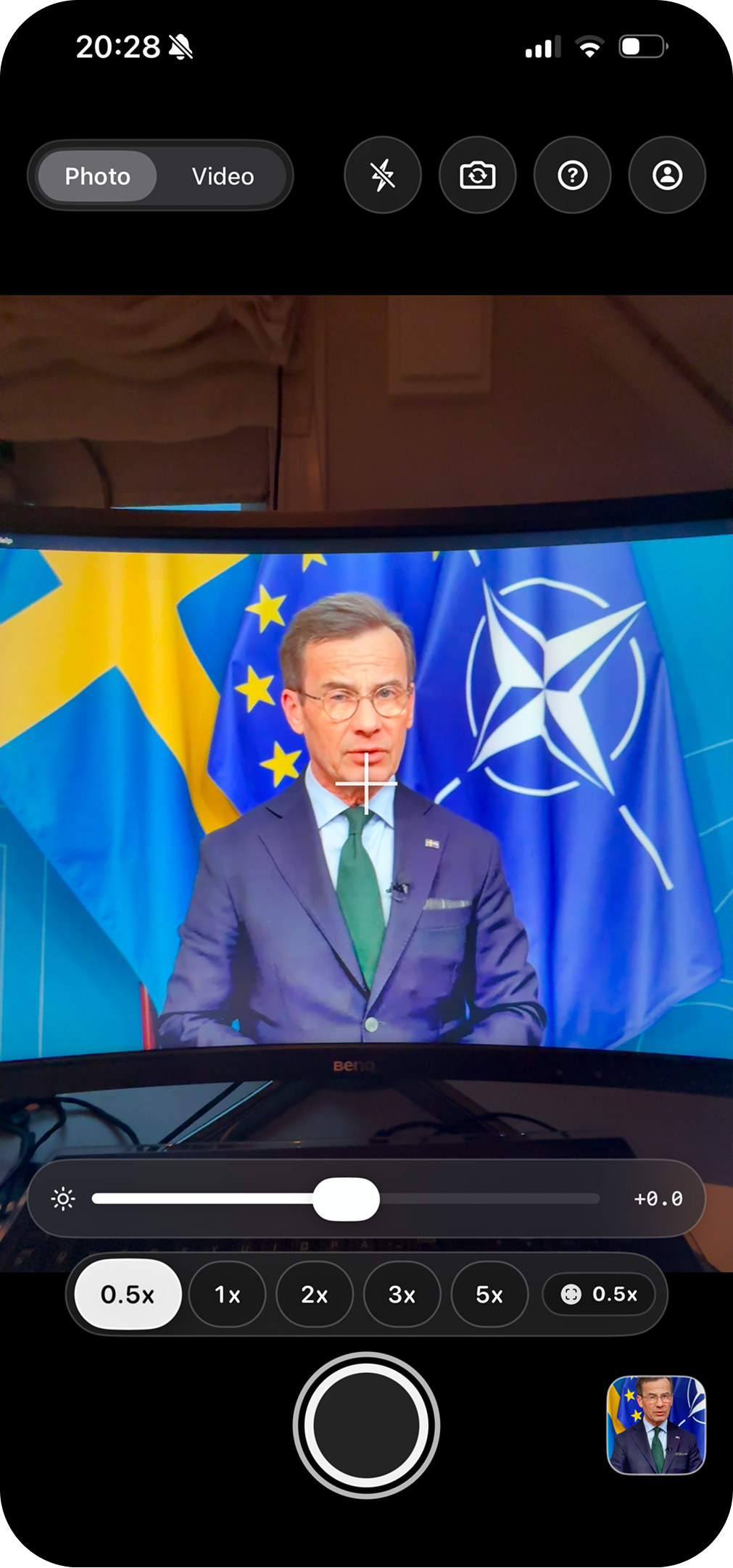
For every capture, RealRec takes two verification images at 0.5x and 5x (or min and max supported zoom). Screen setups are hard to hide at both levels. At wide zoom, environment or display borders often appear. At high zoom, pixels and display artifacts often appear.
Flash test (~50ms at video start)
The device flashes briefly at the beginning of video capture. Filmed screens typically show glare and reflections from this flash, while real scenes behave differently.
Zoom test example
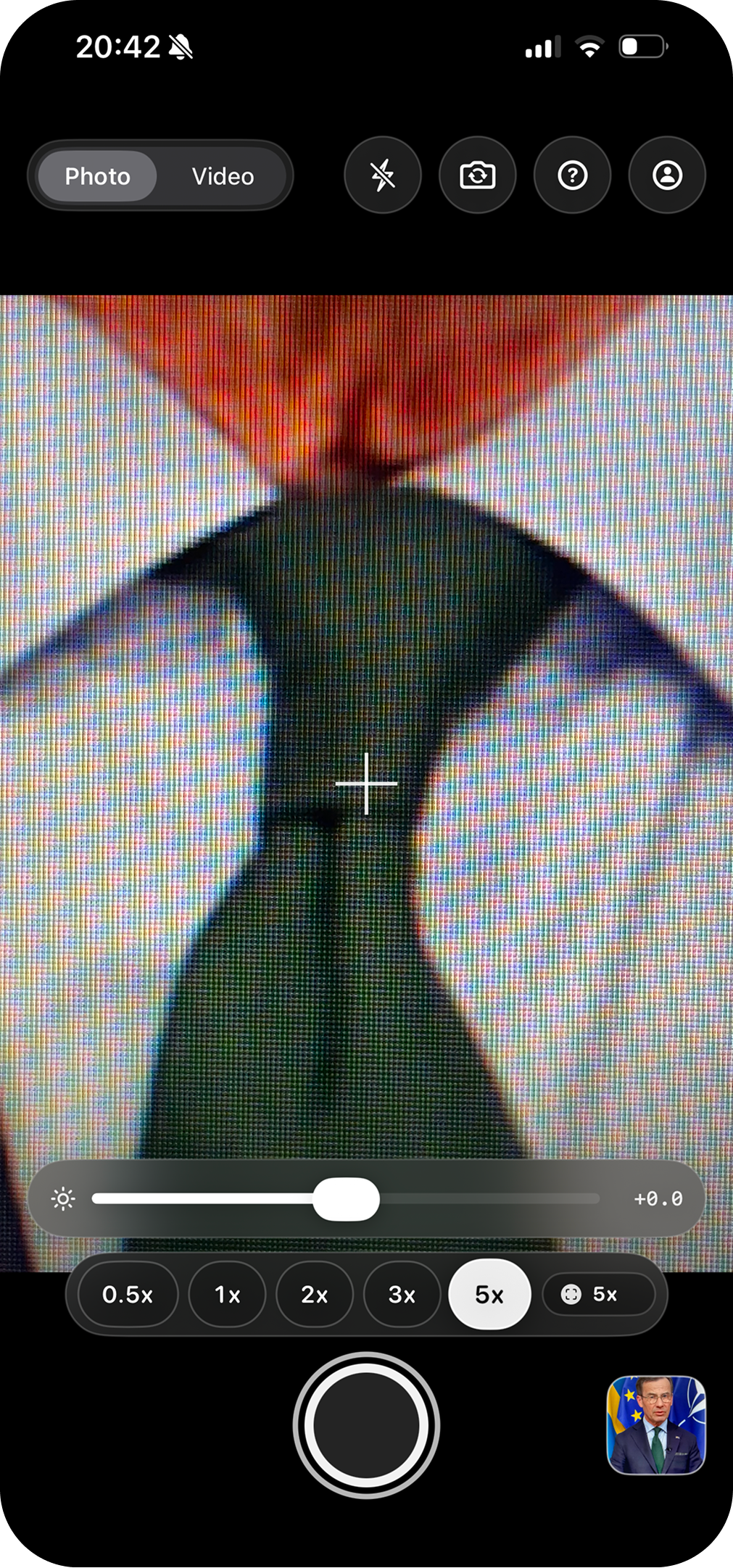
These tests are intentionally primitive and phone-friendly. They use common camera capabilities, so no LiDAR is required.
Flash test example
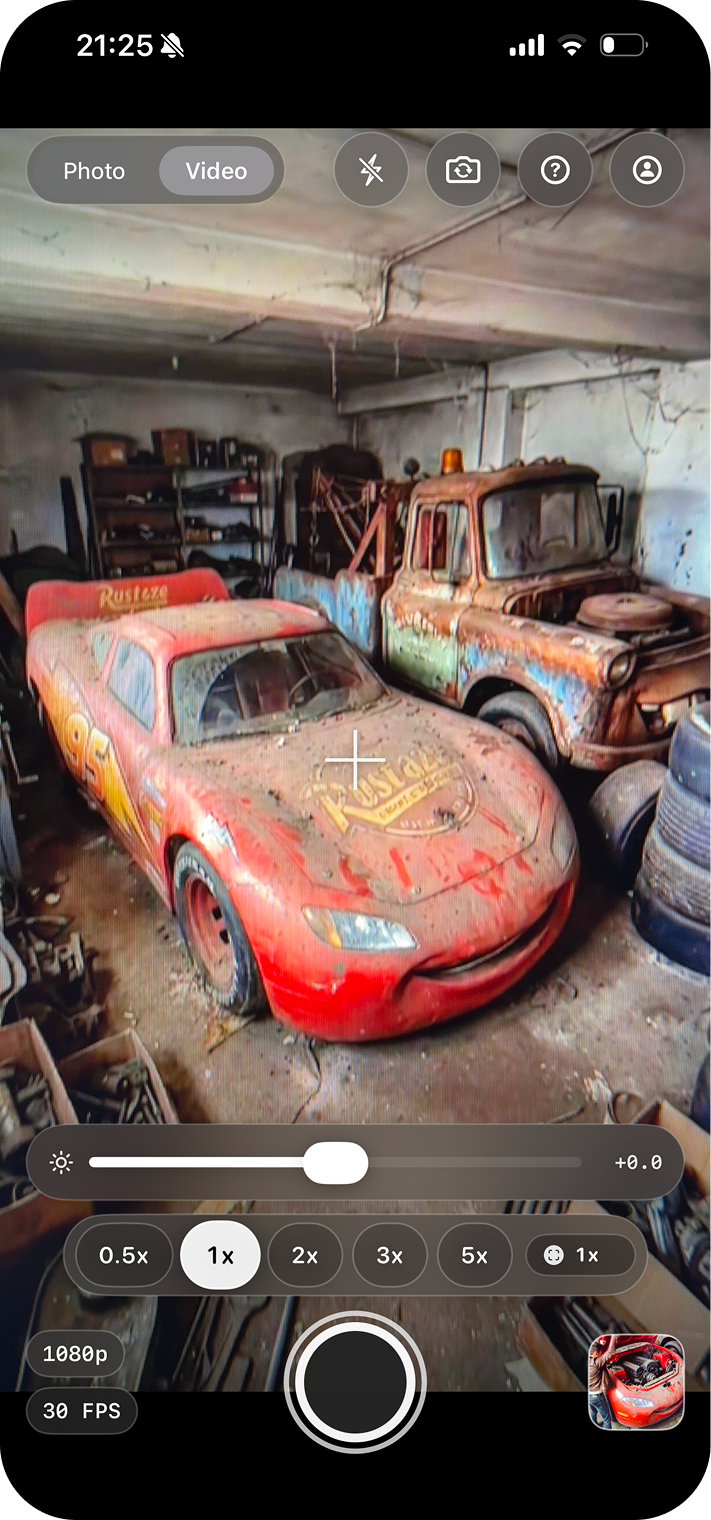
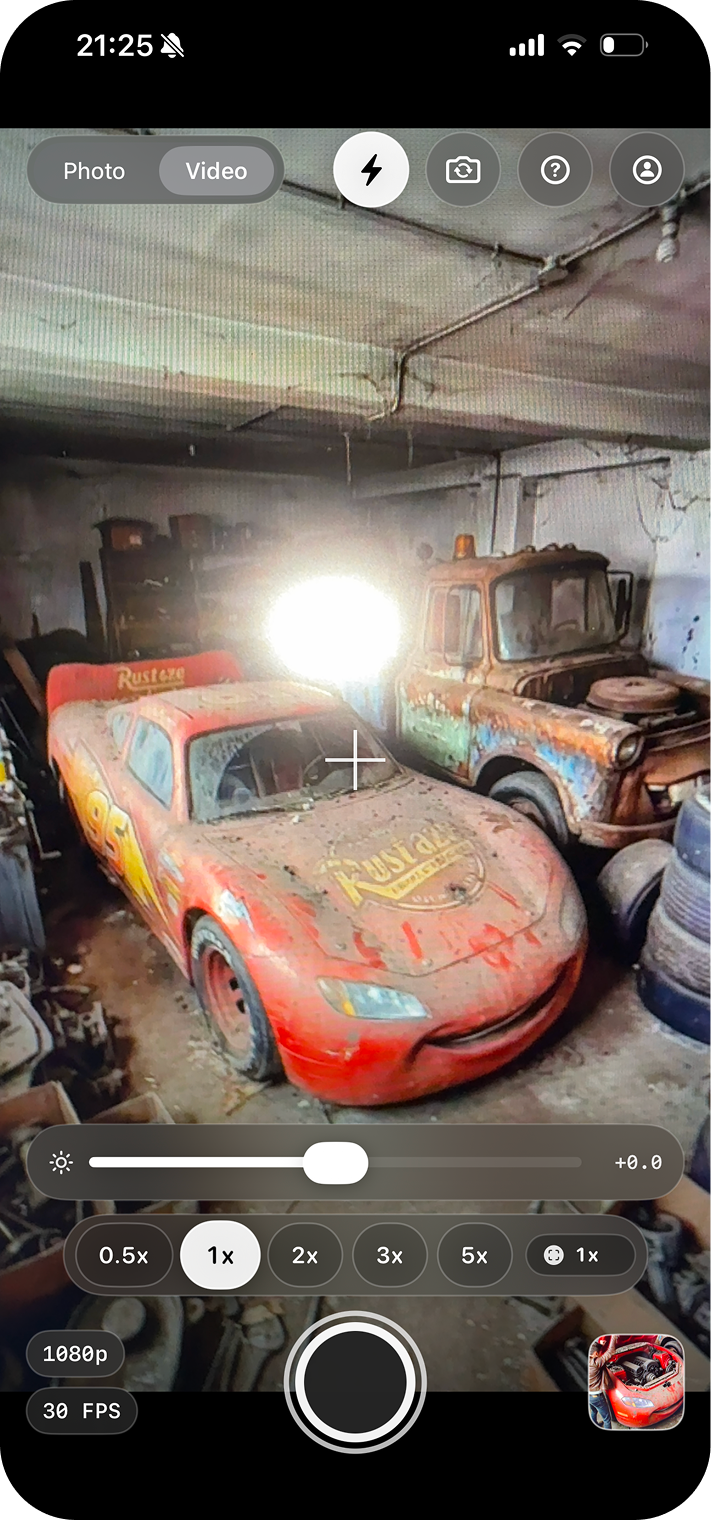
Together, the Flash-test and Zoom-test make it significantly more difficult to record a screen without getting caught. To make a successful screen recording, the pixels or moire patterns cannot show in the 5x test, the borders of the screen cannot show in the 0.5x test, and the perspective in the scene needs to transform correctly between the focal lengths of 5x and 0.5x. If the camera is close to the screen, the initial flash can create glare. This does not make RealRec 100% fraud proof, but it makes dishonest screen recordings much harder to produce.
These tests are intentionally primitive and phone-friendly. They use common camera capabilities, so no LiDAR is required. The Flash-test can be turned off in situations where an initial flash would be unwanted. The Zoom-test can never be turned off.
Trust model
Verification only works if people trust the verifier. RealRec is intentionally not designed as a zero-trust system. Focus is instead on open scrutiny, centralized trust, and solutions that make manipulation difficult.
One way to achieve zero-trust in theory is cryptographic solutions. The problem is that when you upload your image/video to a platform, the media is often by definition not the same anymore due to encoding/compression, so you lose the cryptographic connection. This is also the case when slightly modifying it in a good faith way (colors, contrast, slight cropping etc). This makes it in practice difficult for cryptographic solutions to survive real world sharing.
Even if a system is mathematically designed to exclude trust, when it is implemented in practice, the user still has to trust the implementer. So the bottleneck is mostly moved, not eliminated.
Many systems split trust across vendors and services. That means more handoffs, more weak links, and less clear ownership when something fails. RealRec keeps the critical path with one accountable team.
Every hour, RealRec publishes a redacted snapshot of public verification state, together with a manifest that links to the previous manifest hash. Since frequent historic snapshots are available for download and scrutiny, bad-faith retroactive changes become much harder to hide.
Trust initiatives
RealRec is open to independent review of capture integrity, source immutability, and verification-link behavior. External scrutiny is a direct way to increase confidence in implementation quality.
Open source can increase trust, but it also exposes implementation details to everyone, including attackers. Public code makes it easier to study potential weak points. That is why we harden first, then consider open-sourcing the app and website after external reviews give high confidence in security.
Interested in reviewing RealRec or have questions about our trust model?
hugo@hoverest.comPublic state-chain
The list starts with the six latest public snapshots. Each snapshot contains the redacted public resource state and moderation ledger; use the period search below to inspect snapshots generated between two specific times.
Times are interpreted in your local time zone. Period searches show up to 100 newest matches.
Loading snapshot index...
FAQ
Short answers for specific details about the RealRec system that aren't obvious
Yes! RealRec is completely free. However, if RealRec becomes popular, then there will need to be some kind of small subscription for heavy users since the storage of all the immutable orignals and verification data costs money.
Yes. You can export images or videos from RealRec without verification and save them like normal media. That export will not include a QR watermark or verification reference, so viewers will not be able to trace it back to the immutable original through RealRec.
Nothing harmful will happen. If the watermark is removed, then the link to the immutable original is gone. This just makes it to a normal image/video. If the removal was unintentional because a social media app cropped your image/video, then you can reexport your footage again with the watermark placed a bit differently so it doesn't get cropped away.
Not necessarily. Creators can still crop, trim, color-grade, or compress an export before sharing it. This is an important feature to preserve. The QR watermark points viewers back to the original source so viewers can compare what changed. This allows for good faith changes while still not losing the verification system. Verification means that it was captured from a camera and that an reference to its immutable original and zoom/flash test is embedded.
They are redirected to a page with the original capture. There they can see verification information, zoom/flash-tests, export history and more to judge if the media is real or not.
No! RealRec will not allow any imports, so anything that can come from RealRec must be captured by the camera inside the app.
No. The watermark is very small and half transparent. You can also position it wherever you want with the export-settings in the app. The QR-watermark is designed to be the smallest possible while still have enough pixels to be scannable (even after social media compression).
Yes! It is possible to export as verified without the watermark. For some cases where it is very important to not have a watermark at all, even if it is tiny, you can export and get a small code instead. When you then publish you image/video on for example Instagram, you just put the code in the post-text.
When verifiying without an embedded QR-watermark, you get a code that you can publish together with the image/video. This gives enough information to link the image/video to the immutable source. The advantage of this is that you don't get a small watermark, the disadvantage is that the immutable reference is no longer embedded in the media. This means that if someone republishes your image/video without the code, or that someone takes a screenshot, the verification might not survive.
Not yet. The first version to test the waters is made for iOS. If the app gets used, then an Android version will be published.

iOS app
Record with verification, export with an embedded source reference, and share with a traceable original.